Digital dentistry relies heavily on two types of 3D data files, but many dental offices do not fully understand the difference. For technicians, knowing how DICOM and STL files work makes you a valuable resource when dentists run into data workflow challenges.
DICOM files come from cone beam scanners and represent internal anatomy in a medical grade format. A cone beam scan is made of hundreds of thin slices that together create a full three dimensional volume. DICOM files also include scanner settings, exposure details, and patient information that helps maintain consistency.
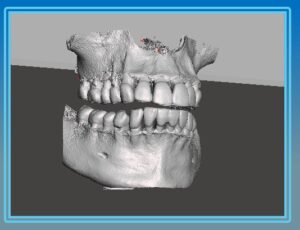
STL files come from intraoral scanners and represent the surface of the teeth and gums. These files are made of thousands of tiny triangles that together form a detailed mesh. STL files do not contain internal anatomy, nerves, or bone structure, but they are essential for CAD CAM design and 3D printing.
Dentists often use both file types in implant planning because together they provide a complete picture. The cone beam DICOM shows the bone and critical structures, while the STL shows the teeth and soft tissue. Aligning them correctly is the foundation of guided surgery.
Technicians often help offices when these files fail to merge correctly. The most common problems include missing data in the scan, mismatched identifiers, or incompatible software. Encouraging dentists to maintain consistent file naming and verify patient data helps prevent confusion.
Not all software uses the same formats. Some accept STL only, while others support OBJ or PLY. Understanding the various file types allows you to guide dentists to the correct settings.
Technicians can also help dentists understand that STL files do not replace DICOM files. STL provides only the outer surface, so it cannot show bone quality or internal structures. Both are needed for complete accuracy.
Supporting offices as they learn to work with these formats elevates your role. You become a workflow expert instead of just a hardware technician, and offices appreciate the guidance as they adopt new digital tools.
As dentistry continues moving toward surgical guides, in house printing, and digital restorative workflows, understanding these file formats becomes more important than ever.
About ImageWorks
ImageWorks delivers dental imaging systems that combine excellent image quality, fair pricing, and dependable performance. Our goal is to help dentists and technicians succeed with digital imaging and 3D workflows.